Everything your association needs for sheet music management
From creating to handing out to exporting: Musicorum unites all the tools for your association's digital sheet music management in one platform.
Your music piece archive – digital, searchable, organized.
Create your digital piece archive in Musicorum. The features include creating, editing, searching, and filtering. Add further information such as purchase date, price, length, rating, and YouTube link so you can search by them afterwards. This ensures that the right march for your themed concert is found quickly too.
Search all music pieces
The search covers all fields, from title, arranger, or composer, through genre, all the way to custom fields.
Filter
Filter the music pieces further by purchase date, duration, or difficulty.
Import functions
With the import function, your music pieces are available in Musicorum in just a few steps.
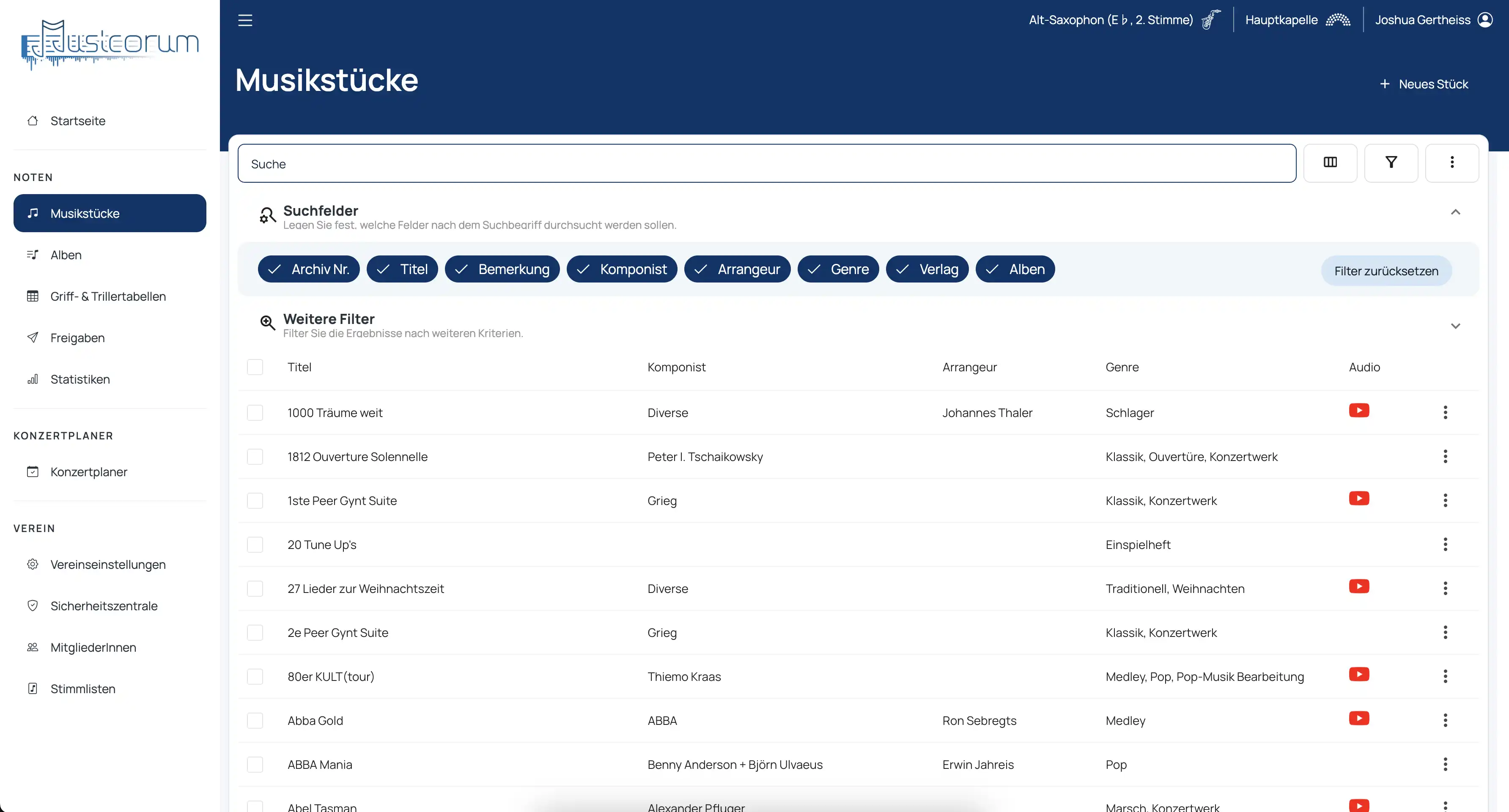
Music pieces in detail
In the music piece overview, all information about the piece is shown in detail. Separated into different tabs, you will find not only the core information but also, for example, your own audio recordings.
Your digital sheet music archive
Uploaded sheet music forms your association's digital sheet music archive. Musicorum directly recognizes the part of scanned sheet music, assigns the part, and groups the file into the matching section. Sheet music can then be intelligently shared and shown personally. Distribute new music pieces directly to everyone in the orchestra? No problem!
1. Upload sheet music
The Musicorum part recognition reliably detects the part from your PDF scan and already splits the pages appropriately.
2. Display
Our database sorts the part into the matching section, grouped by instrument and part, and recognizes similar parts.
3. Hand out, distribute, assign
Musicorum knows the part for every piece and every person – this makes it possible to distribute entire albums to the orchestra.
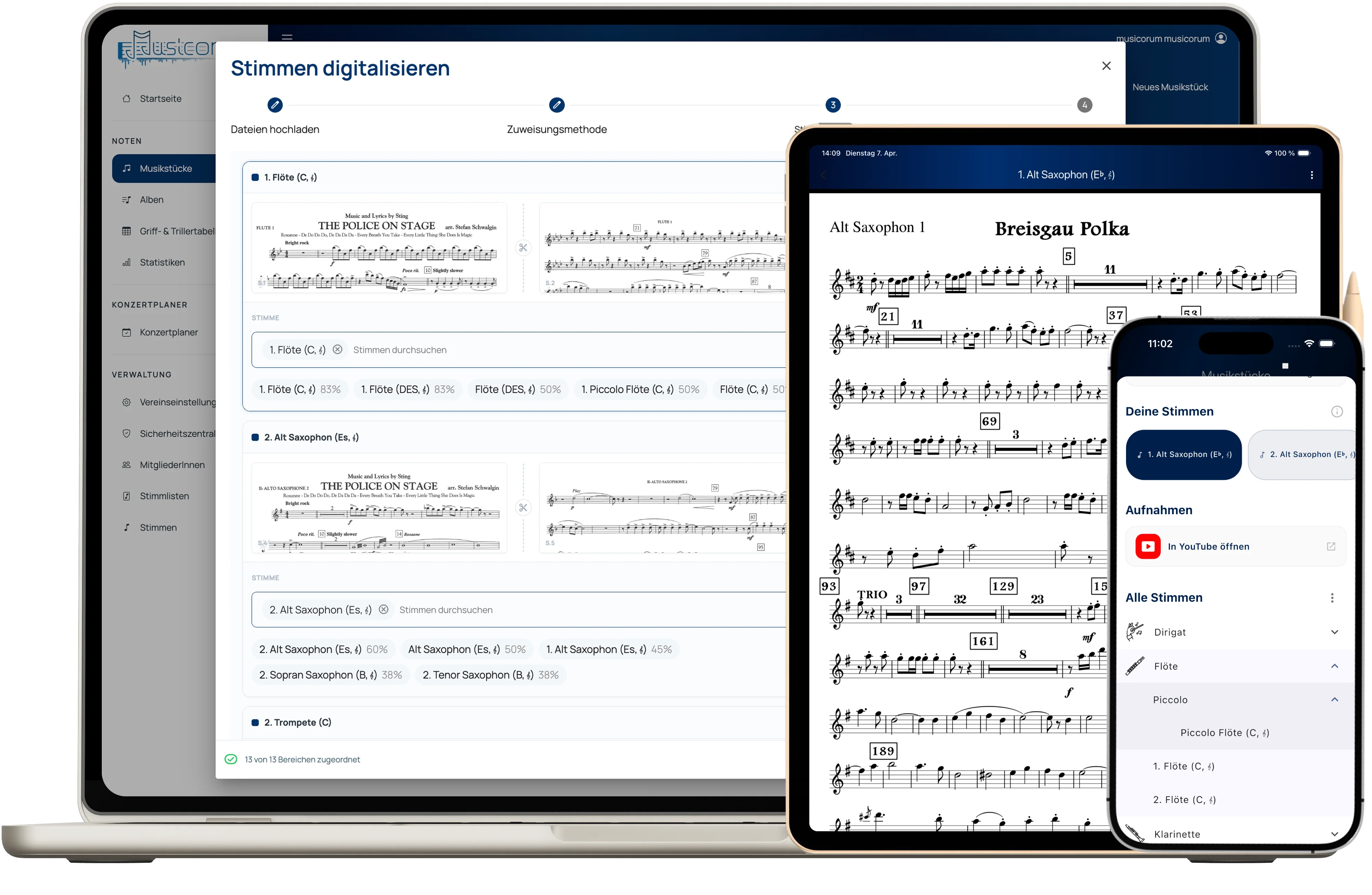
Upload parts
Sheet music can be uploaded as individual PDF files per part or as a single file for all parts. Musicorum recognizes the part on the page either via text recognition, by file name, or by manual input, so it can later assign the part correctly again. In addition to a single part, long PDF files with multiple parts can also be recognized and split directly by Musicorum.
Share parts with musicians
You can set people's permissions so that they can only download their own parts. With the Musicorum part templates, the configuration is completed in just a few clicks.
Share parts via link
Do you have a substitute or would you like to lend a specific part to a neighboring association? With a simple link share, you share exact instruments of many different pieces directly via a single link. If you wish, Musicorum will also send the email to the person directly.
Hand out music pieces
A new piece in the association and you have to hand it out to everyone in the orchestra? With the hand-out function for music pieces, this is done in just a few clicks. Select a music piece and choose the number of existing copies, and Musicorum will offer you the missing parts for download.
New musician in the orchestra?
A new person in the orchestra who now needs all the sheet music? With Musicorum, this work is also done in just a few steps. Select an album and the target person or target instrument. That is all it takes, and you are shown for each piece which part Musicorum would hand out. Make changes, add further parts, and download a single file at the end.
More features
No more sheet music chaos with Musicorum
Whether paper or tablet
Musicorum handles both ”worlds”. Whether you still copy sheet music or your musicians already work from a tablet.
Organized sheet music
No people with random USB sticks or online storage. Musicorum knows the structure of your sheet music and can work with it.
All sheet music in your pocket
The Musicorum App was designed precisely for quick downloads in rehearsal or performance.
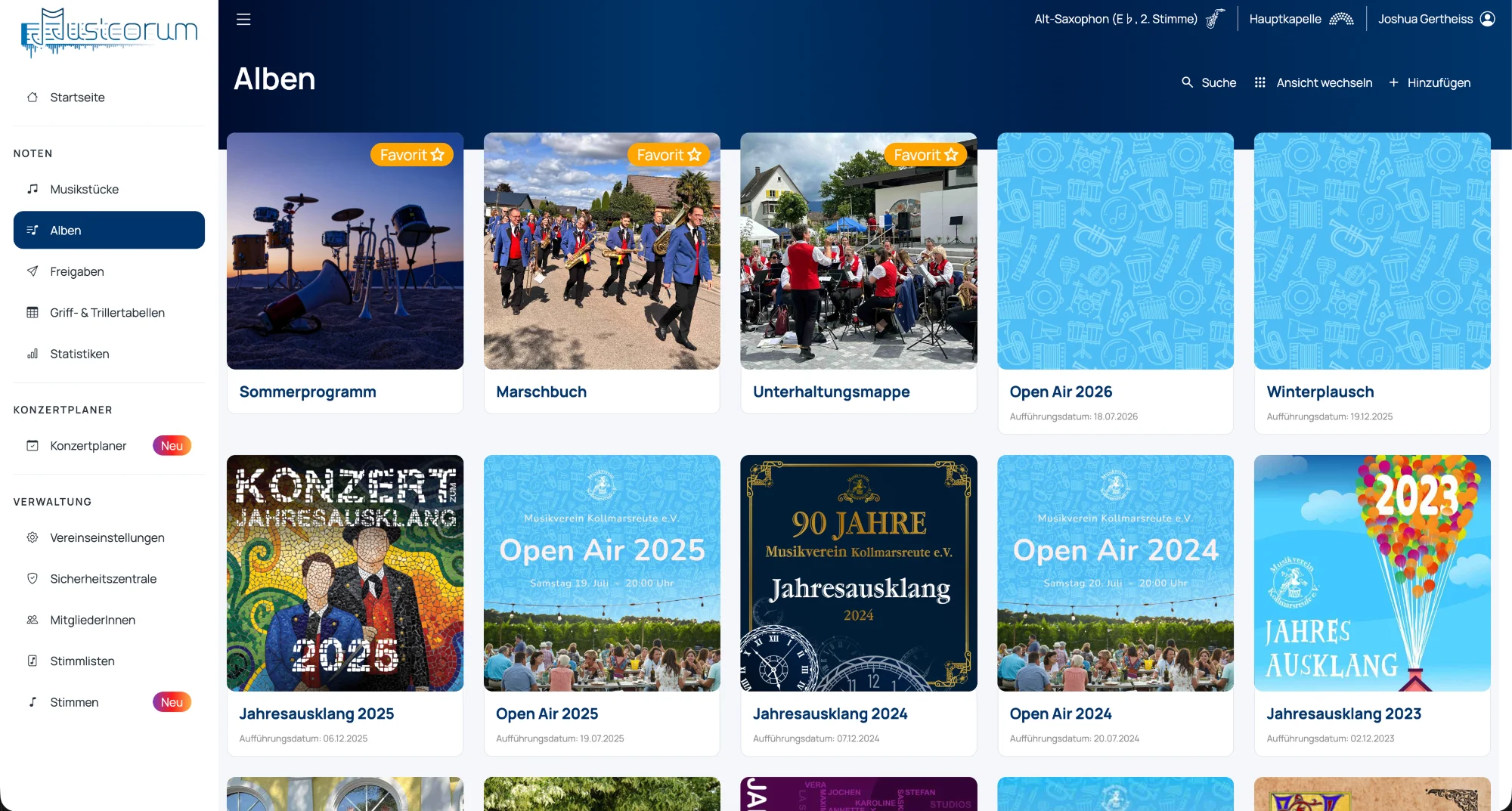
Combine music pieces into albums
Albums (playlist, setlist) are collections of music pieces that open up new possibilities. Organize your folders into albums and benefit from versioning, hand-out functions, and the generation of directories.
Sections, labels & numbering
Music pieces can be organized in albums into optional sections, with their own numbering and specific labels. This lets musicians arrange their sheet music folder right for the performance.
Versioning & export
With every change, a new version of the album is created, so new pieces can be displayed directly. The sorting aid supports this and intelligently guides you when updating albums. The PDF export contains a QR code with which the current status and any changes are shown directly.
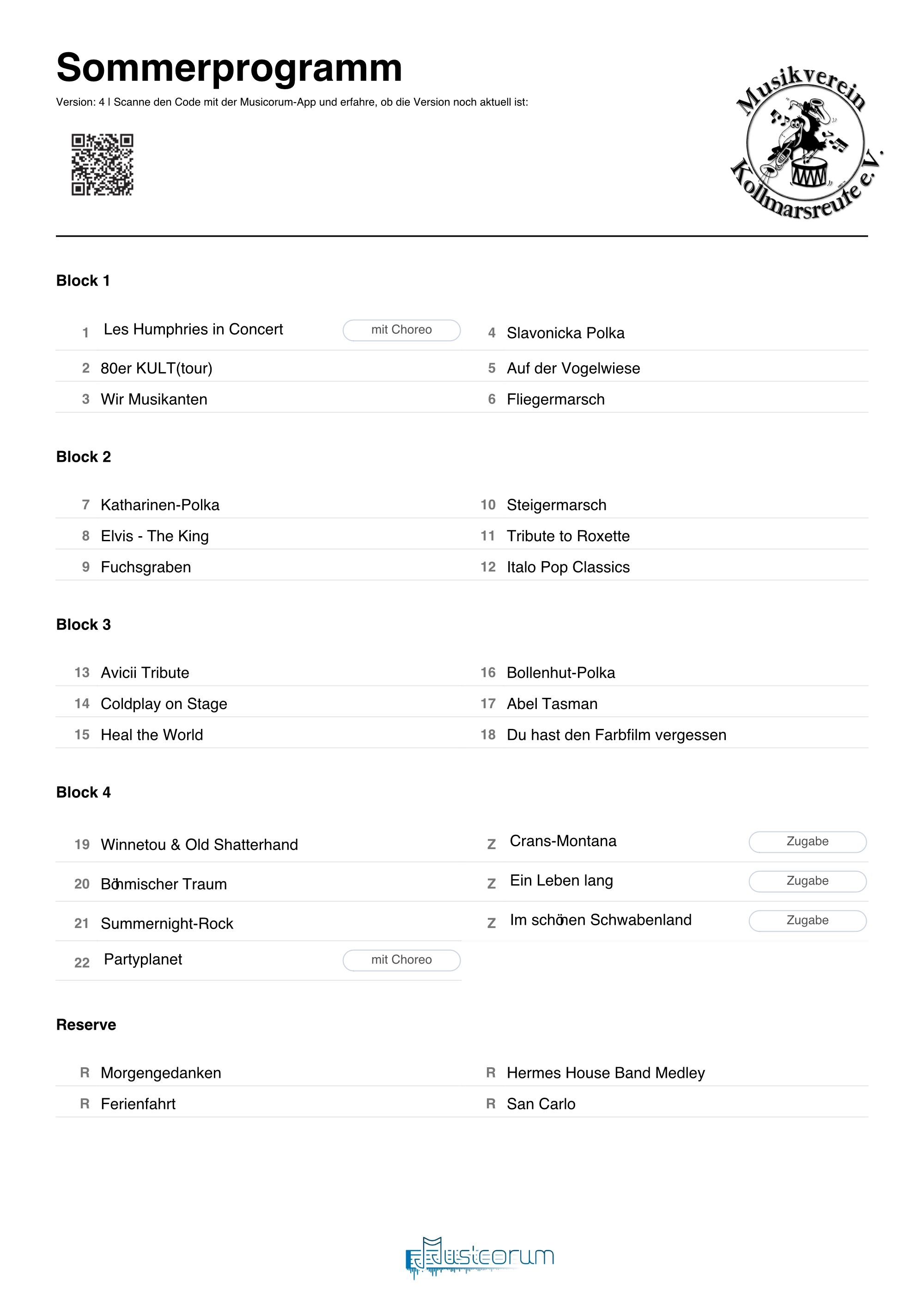
More features
This and much more awaits you with albums
Visibility
Albums can be hidden from certain people. Perfect for drafts or surprise performances 🤫
Notifications
Inform musicians about important changes via email or push notification – including the changes!
Search
Albums and music pieces can be searched and filtered.
Concert planner
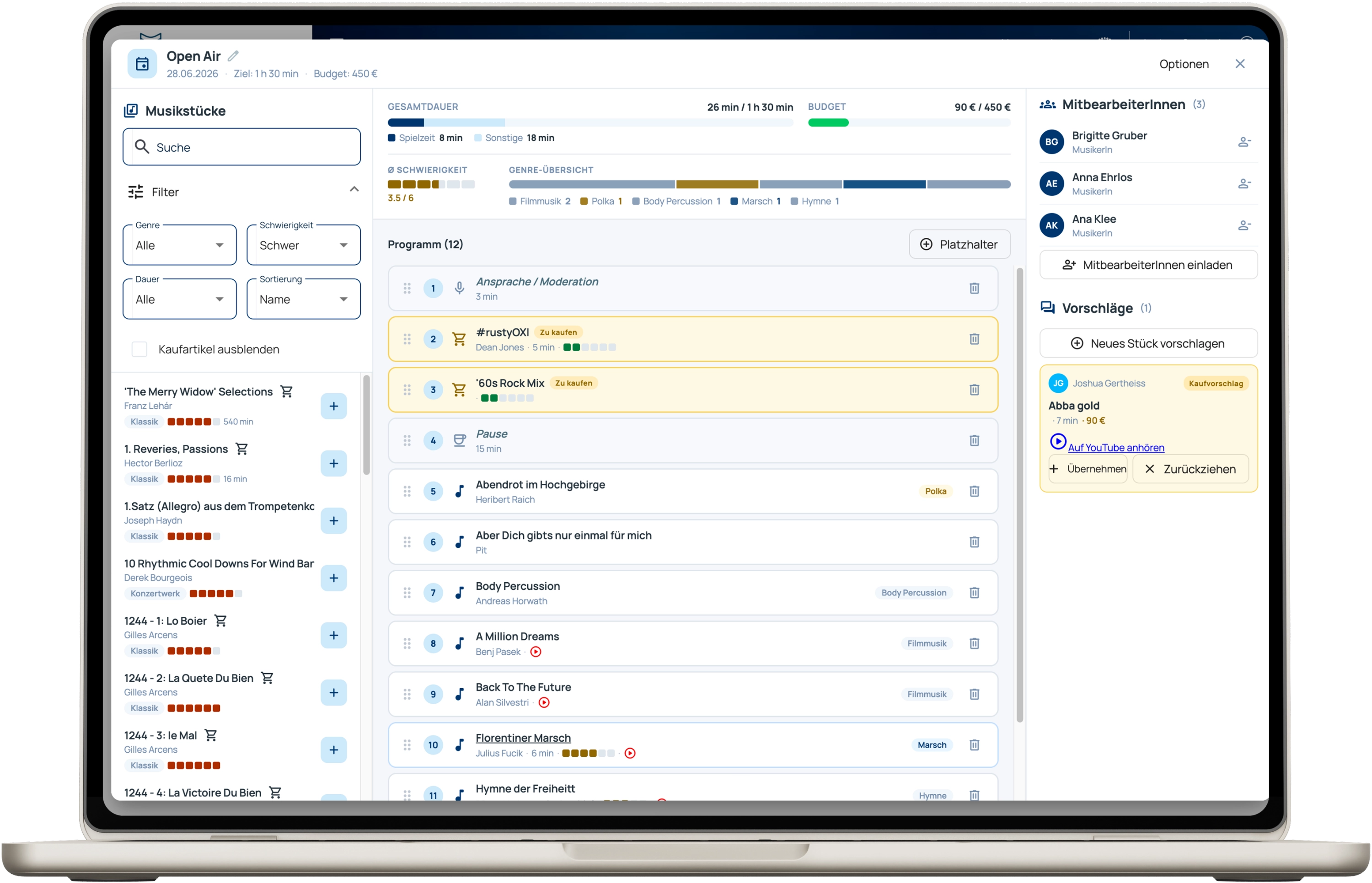
The concert planner is a collaborative tool with which you and your fellow musicians can plan the next concert.
Members
Invite other people to join the planning. They can submit suggestions and bring new ideas into the planning.
Add music pieces
Add music pieces, breaks, and new music pieces to the planning. You get an overview of budget and genre mix and can adjust directly.
Suggestions
Musicorum has a database of over 50,000 current music pieces. Get inspired for a music piece.
Association and orchestra management
So that all musicians get their correct part, managing the orchestra is essential.
Member management
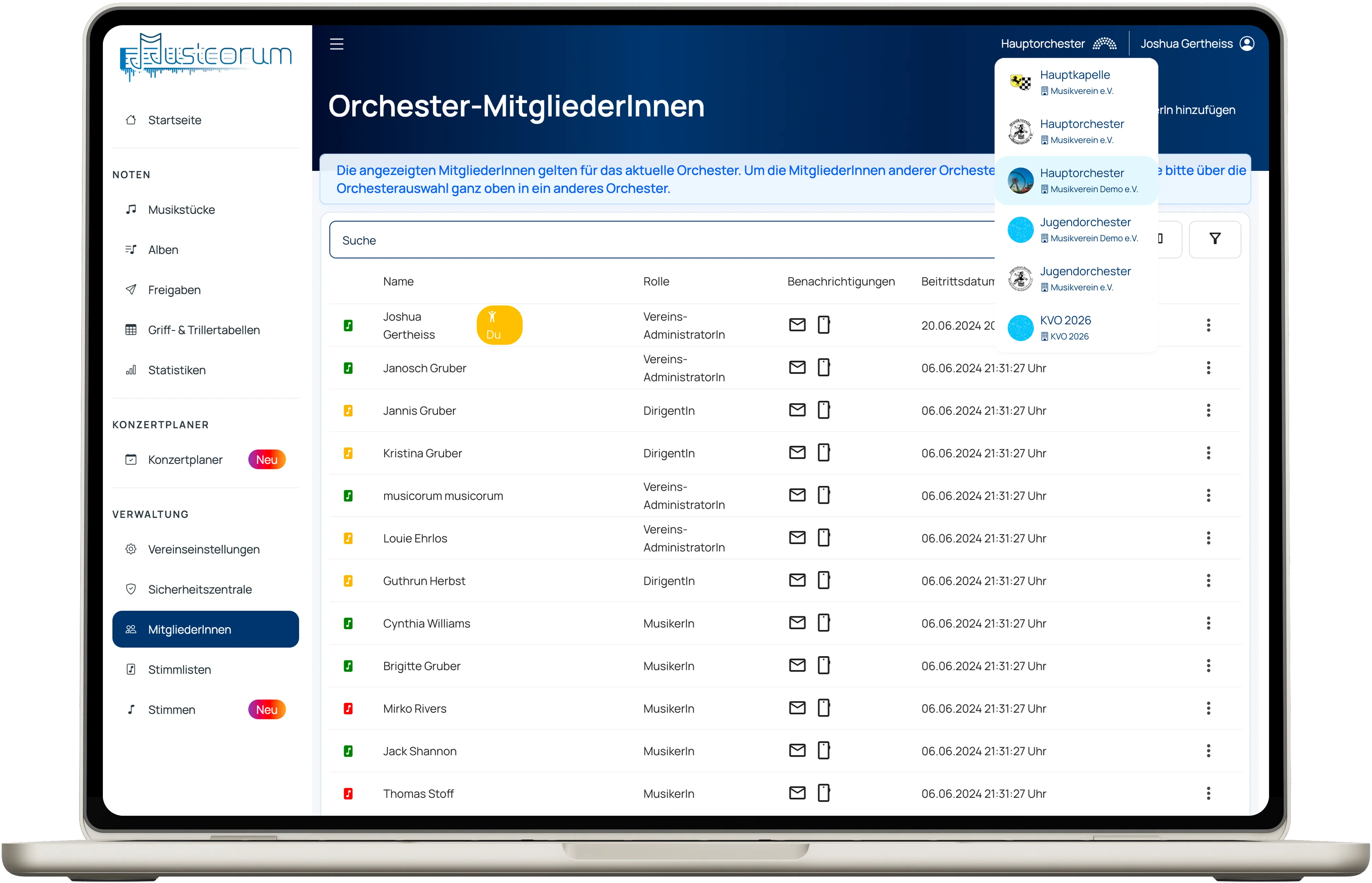
Members must send a request to your orchestra. Only after approval and part configuration do they receive sheet music access.
Permission control
Each person can be given detailed permissions for sheet music access and feature permissions.
Orchestra management
You can create any number of orchestras in your association. Assign memberships directly from the association.
Multiple orchestras in the association
If you want to manage multiple orchestras with Musicorum, that is no problem at all. Even with the Basic subscription, you can create any number of orchestras with their own albums, concert plans, and members. For each membership you can individually assign part configuration and permissions.
More features
Fingering, trill, and slide charts
Musicorum offers a selection of fingering, trill, and slide charts suitable for your instrument.
Association image
Assign an image to your association directly; it is shown in the top right of PDF exports.
Invoices
Invoices are created automatically and can be found in Musicorum.
Access logs
Downloads of sheet music are logged for security reasons and can be viewed by you.
Personalized home screen
On their personal home screen, each member sees the music pieces and albums that are most important and popular for them.
Hosting in Germany
All user data is stored exclusively in Germany and backed up daily.
Daily backups
Your uploaded sheet music is stored with versioning on our servers and can be restored in case of loss.
Documentation
We offer comprehensive documentation of all Musicorum features on our documentation website.
Missing a feature?
On our idea board we collect wishes from the associations. Submit your suggestion or vote for existing ideas – that is how we set our development priorities.